ChatGPT
 Claude
 Gemini
 Grok
How to Build a Quick E-commerce Delivery App
TLDR
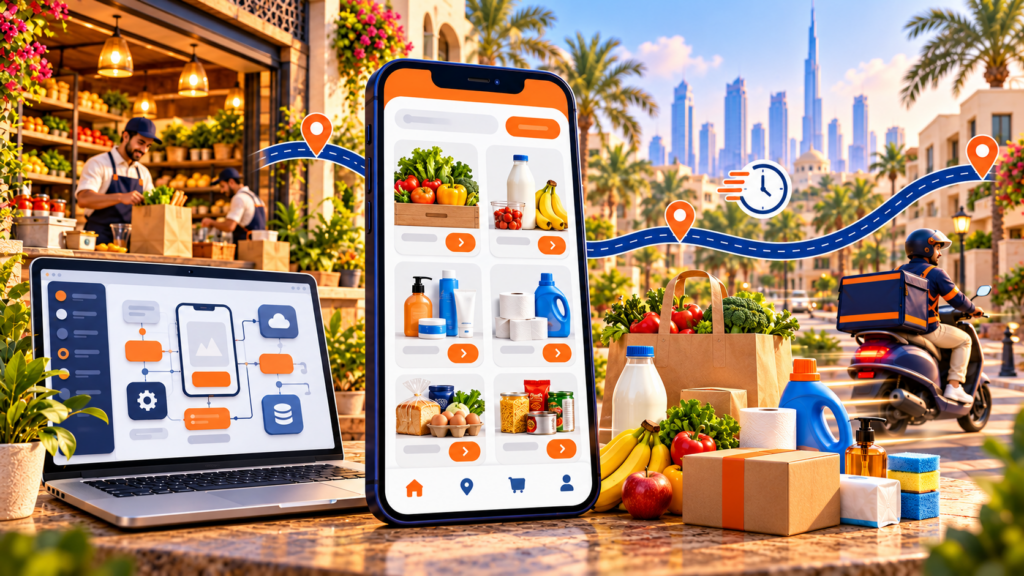
A quick e-commerce delivery app is a platform that takes an order for groceries or essentials and gets it to the customer in 10 to 30 minutes from a nearby dark store. To build one, you need four connected apps (customer, rider, store and admin), a dispatch engine that assigns riders in seconds, live inventory per store, and payments with automatic payouts. A custom build typically costs USD 40,000 to 150,000 and takes 6 to 12 months. A white-label platform such as DeliveryStack goes live in 2 to 4 weeks from USD 1,000 per month. The software is the faster half of the problem. Store density, catalogue discipline and rider supply decide whether the business works.
You build a quick e-commerce delivery app by choosing a fulfilment model, defining a delivery zone you can cover in under 15 minutes, and then building or licensing four apps that share one real-time backend. The order in which you make those decisions matters more than the code. Most failed launches picked a tech stack before they picked a delivery radius.
This guide walks through how the model works, what each app must do, the build steps, the stack, and what it really costs. It is written for founders, grocery and pharmacy chains, and retailers who want to own their delivery channel instead of renting it from an aggregator.
What is a quick e-commerce delivery app?
A quick e-commerce delivery app, often called a quick commerce or q-commerce app, sells a tight range of everyday products and promises delivery within minutes, usually 10 to 30. Orders are picked from small urban warehouses called dark stores that sit within 2 to 3 km of customers, and riders on bikes or scooters carry one or two orders at a time.
The difference from standard e-commerce is where the stock lives. A regular online store ships from a regional warehouse and batches deliveries into vans. A quick commerce app moves the stock into the neighbourhood and sends each order out the moment it is packed.
Typical product range. Grocery, fresh produce, dairy, snacks, personal care, baby and pet supplies, over-the-counter medicines, and small electronics accessories. A dark store usually carries a few thousand fast-moving SKUs, not tens of thousands.
Market size. Estimates vary widely with the definition used. For 2026, The Business Research Company puts the global quick commerce market at about USD 162 billion, Fortune Business Insights at about USD 200 billion, and Persistence Market Research at about USD 291 billion. All three agree that grocery is the largest category.
How does a quick commerce delivery app work?
A quick commerce app works by routing each order to the nearest dark store that has every item in stock, packing it in about two minutes, and assigning a rider who is already at or near that store. The app only shows products that the customer’s serving store can fulfil right now, so the promise is met before the order is placed.
Here is the path a single order takes:
- The customer opens the app. Their location is matched to a delivery zone, and the zone is mapped to one dark store.
- The catalogue loads with live stock from that store only. Out-of-stock items are hidden or greyed out.
- The customer pays. The payment is confirmed and checked for fraud.
- The order appears on the store’s picking screen with a pick list sorted by shelf location.
- A picker scans each item, packs the bag and marks it ready.
- The dispatch engine assigns the closest free rider, often before packing ends.
- The rider collects the bag, follows turn-by-turn navigation and confirms delivery with an OTP or photo.
- Payment is settled, the rider’s earnings update, and stock is decremented for replenishment.
The 10-minute time budget. A 10-minute promise only holds if every stage has a hard limit. The split below is a planning assumption we use when scoping, not an industry standard. Your numbers will depend on store layout and road conditions.
Order confirmation should take under a minute. That depends on payment gateway speed, fraud rules and routing the order to the right store. Picking and packing gets 2 to 3 minutes, helped by a pick list sorted by shelf, barcode checks and packing station alerts. Rider assignment runs in parallel with packing and should finish within 30 seconds, using auto-dispatch by distance and rider load. That leaves 5 to 6 minutes for travel to the customer, which zone size, routing and address accuracy control.
Six minutes of riding on a scooter in city traffic covers roughly 1.5 to 2.5 km. That is why the delivery radius, not the app, sets the ceiling on your promise. If your zones are 5 km wide, promise 30 minutes instead of 10 and design the experience around that.
Which apps and features does a quick commerce platform need?
A quick commerce platform needs four connected apps: a customer app for ordering, a rider app for deliveries, a store or picker app for the dark store team, and an admin console for operations. All four read and write to the same backend in real time. If any one of them lags, the 10-minute promise breaks.
Customer app (iOS, Android and web). This is the storefront. It needs location-based store assignment, a fast search with filters, live stock, a one-tap reorder, saved addresses with pin-drop, multiple payment methods, promo codes, live order tracking on a map, and ratings. Keep the home screen to what a person reorders weekly. Browsing is not the job here, speed is.
Rider app (Android first in most markets). Riders need an online and offline toggle, order acceptance with a short timer, turn-by-turn navigation, call and chat with the customer, proof of delivery by OTP or photo, cash collection if you accept cash on delivery, and a clear earnings screen. Riders judge a platform on how fast they get paid, so payout visibility matters.
Store and picker app (tablet or handheld). The dark store team needs an incoming order queue, pick lists sorted by aisle, barcode scanning to stop wrong items, substitution prompts, stock adjustments, low-stock alerts and a packing-complete button that triggers dispatch. Prep time from this app should feed straight into the customer’s ETA.
Admin console (web). Operations staff use it to draw delivery zones and geofences, set delivery fees and minimum order values, manage stores, catalogues and pricing, approve riders and vendors, watch a live dispatch map, override assignments, handle refunds, and read reports on orders, delivery times and repeat rate.
The features that separate a quick commerce app from a standard grocery app sit underneath all four.
Store-level live inventory stops the app from selling an item the serving store does not have, because every cancelled item costs you a customer. Zone and geofence mapping makes sure each address resolves to one store within the promised radius. Auto-dispatch assigns riders without a human, since manual assignment cannot keep up with breakfast and dinner spikes.
Real-time ETAs combine prep time and rider travel, not just distance. Payments and split payouts settle the store, rider and platform commission automatically on every order. Demand forecasting restocks each dark store to local demand, which keeps stock-outs down.
You can see how these map to a working product on the DeliveryStack delivery apps page and the shared core engine for dispatch, payments, zones and analytics.
How do you build a quick e-commerce delivery app step by step?
Build a quick e-commerce delivery app in seven steps: pick your fulfilment model, map one launch zone, fix your catalogue, choose build or white-label, configure the four apps, test against real orders, and launch in a single neighbourhood before expanding. Steps one to three are business decisions. Skipping them is the most common reason launches slip.
Step 1: Choose your fulfilment model
Dark store model. You own or lease small warehouses and hold the stock. You control availability and margin, but you carry rent and inventory risk.
Store-based model. Orders are picked from existing retail shops, your own or partner kirana and convenience stores. It is cheaper to start, but stock accuracy is weaker because walk-in shoppers take items off the same shelves.
Hybrid model. Dark stores in dense areas, partner stores at the edges. Many operators end up here. Your software must support both picking flows if you plan for this.
Step 2: Map one launch zone
Pick one neighbourhood with dense housing, good order frequency and a site for a store. Draw a radius you can ride in about six minutes. Estimate daily orders from households in that radius before you sign a lease. One profitable zone teaches you more than five thin ones.
Step 3: Fix your catalogue and suppliers
Start with 1,500 to 3,000 SKUs that people buy weekly. Agree replenishment cycles with suppliers, ideally daily for fresh items. Load clean product data: names, images, barcodes, unit sizes and prices. Bad catalogue data shows up as wrong picks and refunds.
Step 4: Decide build or white-label
Custom development gives you full control and takes months. A white-label platform gives you a tested system under your brand in weeks. The cost and trade-offs are compared in detail further down.
Step 5: Configure the four apps
Set delivery fees, minimum order values, commission rules, payout schedules, store hours and zone boundaries. Apply your brand to every screen: name, logo, colours and app store listings. Connect your payment gateway and SMS provider.
Step 6: Test with real orders
Run at least a week of internal orders through the live store. Test peak load, substitutions, refunds, failed payments, rider no-shows and wrong addresses. Measure actual pick and travel times against your budget.
Step 7: Launch small, then expand
Open to one zone, watch delivery time, cancellation rate and repeat rate daily, and fix what breaks. Add the next zone only when the first one meets its targets. With DeliveryStack, steps five to seven follow a fixed four-step deployment sequence that runs 2 to 4 weeks.
What tech stack does a quick commerce app use?
A typical quick commerce stack uses a cross-platform mobile framework such as Flutter or React Native for the customer and rider apps, Node.js for the backend, PostgreSQL for orders and payments, Redis for live stock and rider locations, WebSockets for real-time tracking, and a maps API for routing. The stack matters less than how the parts handle sudden traffic spikes.
Apps and web. Flutter or React Native gives you one codebase for the customer and rider apps on iOS and Android. Go native only if you need heavy background location work. Next.js and React suit the web storefront and admin console, and server rendering helps the web store rank in search.
Backend and data. Node.js handles the many concurrent connections that customers and riders create. Orders, payments and payouts are relational, so keep them in PostgreSQL. Stock counts and rider positions change every few seconds, so they belong in Redis.
Real-time, maps and payments. WebSockets power live tracking for customers, and Firebase Cloud Messaging pushes order alerts to riders. Google Maps Platform or Mapbox handles routing, but map API calls add up at volume, so budget for them. For payments, choose Stripe, Razorpay, Adyen or a local gateway by market, and confirm it supports split payouts.
Hosting. AWS or Google Cloud with autoscaling covers meal-time peaks without paying for idle servers the rest of the day.
One opinion from experience. Do not start with microservices. A well-structured modular backend is easier to change in the first year, and you can split out dispatch or inventory later when load justifies it. Teams that start with a dozen services spend their first months on plumbing instead of on delivery times.
The downside of any custom stack is that you own it. Every OS update, payment gateway change and app store policy shift becomes your team’s work. A managed platform moves that work to the vendor, at the cost of some control over the roadmap.
How much does it cost to build a quick commerce delivery app, and how long does it take?
A custom quick commerce delivery app usually costs USD 40,000 to 150,000 or more and takes 6 to 12 months before the first live order. A white-label platform such as DeliveryStack starts at USD 1,000 per month and goes live in 2 to 4 weeks. Neither figure includes dark store rent, stock, riders or marketing, which are often the larger spend.
Custom development costs USD 40,000 to 150,000 or more upfront and takes 6 to 12 months to launch. After launch you pay for in-house or agency maintenance, hosting, and map and SMS fees. It suits businesses with unusual workflows that no platform supports, and with the budget and time to build them.
A white-label platform includes setup within the subscription and launches in 2 to 4 weeks. DeliveryStack starts at USD 1,000 per month, scaled by order volume, cities and custom features. It suits most founders and retailers launching their first zones.
A no-code builder has a low upfront cost and takes 4 to 8 weeks to launch, with a monthly plan plus workarounds for what it cannot do. It suits testing demand with a handful of orders a day, but it rarely holds up once volume grows.
The custom range assumes four apps, one city, one payment gateway and an experienced agency team. It rises with multi-store inventory, multiple countries, ERP or POS integrations, and offline-capable picker apps.
What drives cost up in a custom build. Dispatch logic, split payments and payouts, refund and dispute flows, and real-time stock sync each look small on a feature list. In practice each one adds weeks of work and testing. They are the usual reason launch dates move.
Should you build a custom quick commerce app or use a white-label platform?
For most first launches, a white-label platform is the better choice because it removes 6 to 12 months of build risk and lets you spend capital on stores, stock and riders. Custom development makes sense when your operating model needs workflows no platform supports, and you have the budget and time to build and maintain them.
Choose white-label if you want to launch in weeks, you are testing one city or vertical, you do not have an in-house engineering team, or you want to leave a third-party aggregator and own your customers. The downside is that your roadmap partly depends on the vendor’s. Check that you own your brand, app store accounts and customer data, and that you can export that data at any time.
Choose custom if your model is genuinely different, for example deep integration with your own warehouse robotics, or a pricing engine that is your competitive edge. The downside is time and cost, plus a permanent maintenance burden.
A middle route is to launch on a white-label platform, prove your unit economics, and add custom modules through its API later. DeliveryStack supports this, and the full build-versus-buy model is on the custom development comparison page. DeliveryStack is built by Aalpha Information Systems, which has delivered more than 5,500 software projects and holds a 4.9 rating from over 215 reviews on Clutch. Plan details are on the pricing page, and grocery-specific features such as delivery slots, substitutions and weight-based pricing are on the grocery delivery page.
What mistakes sink quick commerce app launches?
Most quick commerce launches fail on operations, not code. The common mistakes are opening too many zones at once, promising a delivery time the radius cannot support, carrying too many slow-moving SKUs, and buying growth with discounts before the basket size and order density can carry the cost of each delivery.
Spreading thin. Five half-busy zones cost more than one busy zone, because riders sit idle and stores carry stock that does not move. Order density per zone is what makes delivery cost per order fall.
Promising 10 minutes everywhere. If an address is 4 km from the store, a 10-minute promise will fail on most orders. Let the app show a zone-specific ETA. A reliable 20 minutes beats an unreliable 10.
Inaccurate stock. Selling an item the store does not have leads to a call, a substitution or a refund. Every one of those costs more than the margin on the item. Barcode scanning at receiving and picking is not optional.
Discount-led growth. Free delivery and heavy coupons fill the app with one-time buyers. Track repeat rate and average order value from week one, and set a minimum order value that covers delivery cost.
Ignoring the rider experience. Slow payouts, unclear earnings and long waits at the store make riders leave. Rider churn shows up as late deliveries within days.
Underestimating local rules. Some cities now restrict dark stores in residential areas, and labour rules for gig riders differ by country. Check zoning and employment rules before you sign a lease.
Frequently asked questions
How long does it take to build a quick commerce delivery app?
A custom quick commerce app takes 6 to 12 months to build, test and publish. A white-label platform such as DeliveryStack goes live in 2 to 4 weeks, because the apps and dispatch engine already exist and only need configuration, branding and data.
How much does a quick commerce app cost?
Custom development usually costs USD 40,000 to 150,000 or more before launch, plus maintenance. DeliveryStack starts at USD 1,000 per month, with the final price set by verticals, cities, order volume and custom features. Store rent, stock, riders and marketing are separate costs.
Do I need dark stores to launch a quick commerce app?
No. You can start with a store-based model that picks orders from existing shops, yours or partners’. Dark stores give better stock accuracy and faster picking, so many operators add them once a zone has steady demand.
Can quick commerce work outside big metro cities?
Yes, if order density is there. Smaller cities often have dense central neighbourhoods where a 15 to 20 minute promise is realistic from one store. Start with the busiest area and widen the zone only as orders grow.
What is the difference between quick commerce and online grocery delivery?
Online grocery delivery usually offers a large catalogue with scheduled slots, delivered the same or next day from a bigger store or warehouse. Quick commerce offers a smaller catalogue delivered within minutes from a nearby dark store, with one order per rider trip.
Do I own the app and customer data on a white-label platform?
On DeliveryStack, yes. The apps are published under your own App Store and Google Play accounts, customers see only your brand, and all customer, order, store and rider data belongs to you and can be exported at any time.
Can I add food delivery or courier services later?
Yes. DeliveryStack runs food, grocery, courier, pharmacy and ride services on one platform. A new vertical is configured from the admin console rather than built as a new project, so you can add one when your first service is stable.
Next step
If you are planning a quick commerce launch, start by sizing one delivery zone and your first 2,000 SKUs. Then book a DeliveryStack demo to see the customer, rider, store and admin apps running on a live order, and get a fixed quote for your city and volume.