ChatGPT
 Claude
 Gemini
 Grok
How to Set Up an Online Ordering System for Your Restaurant: A Complete Guide
TLDR
A restaurant online ordering system is software that lets customers browse your menu, place and pay for orders, and track delivery or pickup through your own website or app. Setting one up takes ten steps: decide your order types, choose a system, build the menu, set delivery zones, pick a delivery fleet model, connect payments, wire orders into the kitchen, brand the apps, test, and launch. The main decision is ownership. Marketplaces such as Uber Eats and DoorDash bring new customers but charge roughly 15 to 30 percent per delivery order on their US plans. A direct system you own costs a fixed monthly fee or an upfront build, keeps the customer data with you, and needs you to drive your own traffic. A white-label platform like DeliveryStack sits in between: your brand on every screen, live in 2 to 4 weeks, from USD 1,000 per month.
What is a restaurant online ordering system?
A restaurant online ordering system is the set of apps and back-office tools that takes an order from a customer’s phone to the customer’s door without a phone call. It covers the menu, the cart, payment, kitchen notification, delivery dispatch, and order tracking. A complete system has four connected parts.
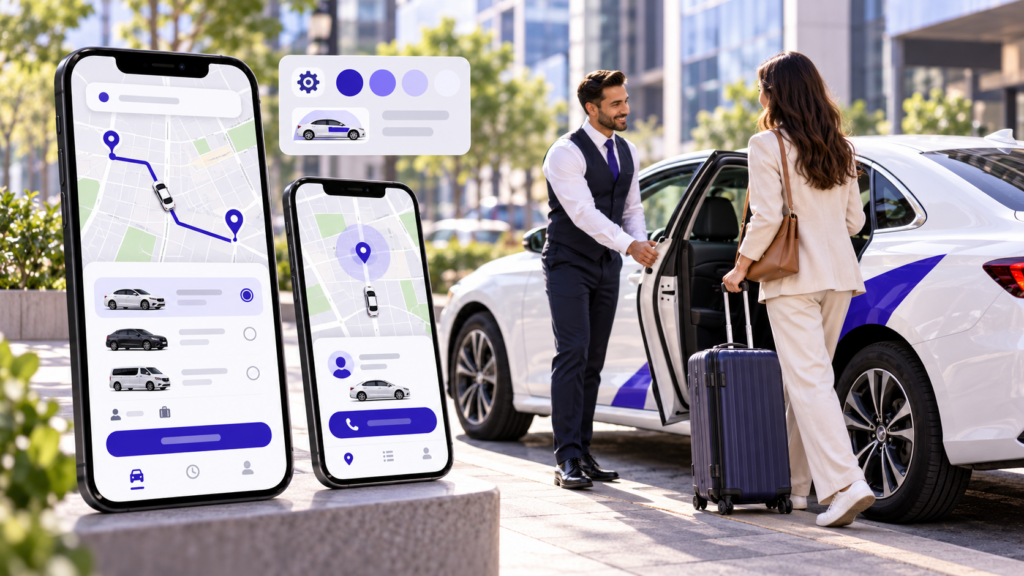
The customer app and website. This is where people browse the menu, choose modifiers such as size or spice level, pay, and track the order. It should work on iOS, Android, and a mobile browser, because many first-time customers will not download an app before their first order.
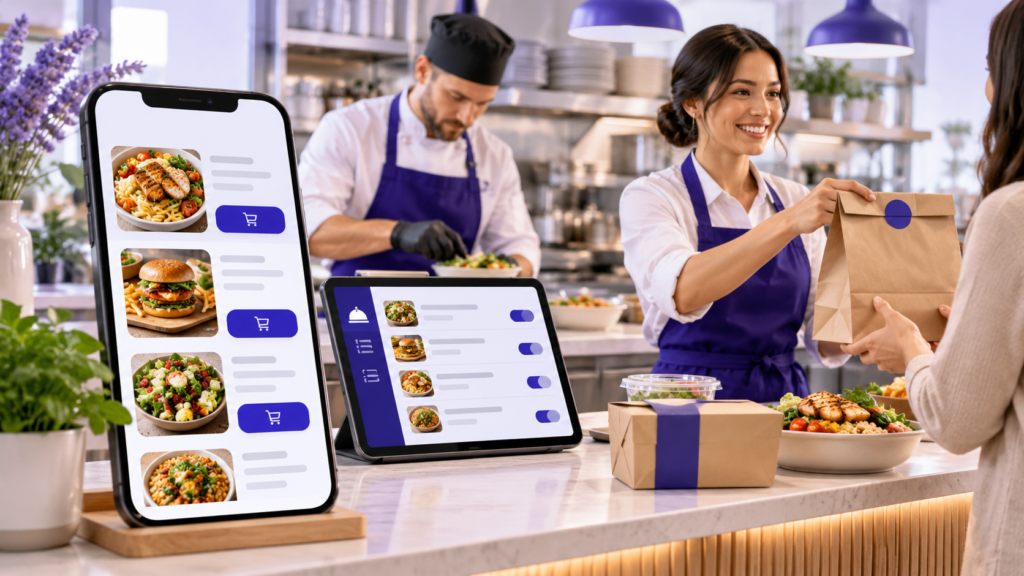
The restaurant panel. Staff use it to accept or reject orders, set preparation times, mark items as sold out, and see daily sales. If it is slow or hard to read during a rush, orders get missed.
The driver app. If you run your own delivery, drivers use it to receive assignments, navigate to the customer, and confirm delivery. Restaurants that offer pickup only, or hand delivery to a third-party fleet, can skip this part.
The admin console. The owner or operations manager uses it to manage delivery zones, fees, promotions, refunds, payouts, and reports. In a multi-location business, this is where each outlet’s menu and delivery area are controlled.
Which type of online ordering system should your restaurant use?
Most restaurants should use a third-party marketplace for discovery and a direct ordering system they own for repeat customers. The direct system can be a plug-in ordering page, a POS add-on, a white-label platform, or a custom build. The right one depends on order volume, whether you run your own drivers, and how much you want to control the brand and data.
Third-party marketplaces such as Uber Eats and DoorDash have no upfront cost and can be live within days, but charge about 15 to 30 percent per delivery order on their US plans. DoorDash, for example, publishes tiered partnership plans with different rates for delivery and lower rates for pickup, and Uber Eats uses a similar structure. The marketplace owns the customer relationship, so you rarely get contact details. Treat it as a customer acquisition channel, not an ordering system you own.
An ordering page or widget on your website costs little upfront and runs on a monthly subscription plus card fees. It can be live in 1 to 2 weeks, and the customer data is yours. The downside is limited branding, and most of these tools have no driver app or dispatch, so they suit pickup-heavy restaurants best.
POS add-on ordering costs little to moderate upfront plus a monthly add-on fee, and takes 1 to 3 weeks to set up. Orders and customer data sit inside your POS, which keeps the kitchen workflow simple. The catch is that you are locked to one POS vendor’s ordering features.
A white-label delivery platform such as DeliveryStack includes setup in its fee, starts at USD 1,000 per month, and goes live in 2 to 4 weeks. You get customer, driver, restaurant, and admin apps already built and tested, published under your name, and you own the data. The downside is the fixed fee, which stays the same whether you take 200 orders or 20,000, so at low volume it can cost more than the commissions it replaces.
Custom development costs USD 40,000 to 150,000 or more upfront, plus hosting and a maintenance team, and takes 6 to 12 months. You own everything, and it is the right call when you need unusual integrations or a business model that standard delivery logic does not fit. Expect the budget to grow as dispatch, refunds, and payouts get built. DeliveryStack sets out the full cost comparison against custom development.
How much does an online ordering system cost compared with marketplace commissions?
A direct ordering system usually becomes cheaper than marketplace delivery once a restaurant handles roughly 280 or more delivery orders a month. Below that, the fixed fee and driver costs tend to outweigh the commission saved. The worked example below shows where that line falls, using stated assumptions you can replace with your own numbers.
Assumptions: 1,200 delivery orders a month (about 40 a day), USD 30 average order value, a 25 percent marketplace commission, USD 1,000 per month for the ordering platform, 3 percent card processing, USD 6 per delivery in driver pay and fuel, and a USD 3 delivery fee charged to the customer on direct orders.
Under these assumptions, the marketplace route costs USD 9,000 a month: a 25 percent commission on USD 36,000 of delivery sales, with card processing and delivery included. Direct ordering with your own drivers costs USD 1,000 in platform fees, USD 1,080 in card processing, and USD 7,200 in driver pay and fuel. The USD 3 delivery fee on each direct order brings back USD 3,600, so the net monthly cost comes to USD 5,680.
In this example, direct ordering saves about USD 3,320 a month, or close to USD 40,000 a year. The saving depends almost entirely on driver cost. If you hand deliveries to an on-demand courier service instead of employing drivers, replace the USD 6 line with that service’s per-delivery fee.
The break-even works out at about 280 delivery orders a month under these assumptions. A restaurant doing 10 deliveries a day is close to the line. A restaurant doing 40 a day is well past it. Pickup orders change the picture further, because they need no driver at all and marketplace pickup commissions are lower than delivery commissions.
How do you set up an online ordering system for a restaurant, step by step?
You set up a restaurant online ordering system in ten steps, in this order: define order types and service area, choose the system, build the menu, set delivery zones and fees, choose a delivery model, connect payments, connect the kitchen, brand the apps, test with real orders, then launch. Doing them out of order is the usual cause of delays, because menu, zone, and payment decisions feed every later step.
Step 1: Decide which order types you will accept
Start with delivery, pickup, or both. Pickup is the easier first step because it needs no drivers. Add scheduled orders if you do catering or office lunches, and QR-code table ordering if you want dine-in guests to order from their phones. Each order type changes the checkout flow, so decide before you configure anything.
Write down your service hours per order type too. Many kitchens stop delivery 30 to 45 minutes before closing while pickup continues.
Step 2: Choose your ordering system model
Match the system to your volume and your delivery plan. Use the comparison above. A single restaurant taking mostly pickup orders can start with a simple ordering page. A restaurant with its own drivers, or a brand with several locations, needs a driver app, dispatch, and per-outlet zones, which is where a white-label platform or a custom build makes sense.
Ask every vendor three questions: who owns the customer data, can you export it, and what happens to your app if you leave.
Step 3: Build a digital menu designed for ordering
An online menu is not your printed menu typed in. Group items into short categories. Add modifiers for sizes, add-ons, and spice levels, with prices on each. Use real photos, since customers judge portion size from them. Mark dietary and allergen information where your local rules require it.
Set a preparation time for each category, and decide which items you will not offer for delivery. Fried food that goes soggy in 20 minutes will hurt your ratings more than it helps your sales.
Step 4: Set delivery zones, minimum orders, and fees
Draw zones by drive time, not by a simple radius. A 5 km circle can include a neighbourhood across a river that takes 35 minutes to reach. Most platforms let you draw a geofence on a map and set a fee and minimum order for each zone.
A common pattern is a lower fee for the inner zone and a higher fee plus higher minimum for the outer zone. Recheck the zones after your first month, using actual delivery times.
Step 5: Choose how orders will be delivered
You can run your own drivers, use an on-demand courier service, or mix both. Own drivers give you control over service quality and cost less per order at volume, but you carry wages, scheduling, and insurance. Courier services charge per delivery and need no staff, but you lose some control over timing and how drivers treat your food.
Many restaurants start with couriers and move to their own drivers for peak hours once volume justifies it. If you run your own drivers, you need a driver app with automatic assignment and live tracking.
Step 6: Connect a payment gateway
Choose a gateway that supports your local payment methods and pays out on a schedule you can live with. In the US that means cards and wallets such as Apple Pay and Google Pay. In India, UPI is expected. In the Gulf, cash on delivery is still common and needs a cash reconciliation process for drivers.
Your ordering system and gateway must handle card data under PCI DSS, the card industry’s security standard. A hosted checkout or tokenised payments keep card numbers off your servers. Also confirm how refunds, partial refunds, tips, and sales tax are handled before launch.
Step 7: Connect orders to your kitchen workflow
An order that reaches the kitchen late is worse than no order. Decide where orders appear: a tablet running the restaurant panel, a kitchen display screen, a receipt printer, or straight into your POS through an integration. Avoid setups where staff retype online orders into the POS, because that is where errors and missed items come from.
Set order throttling for busy hours. If the kitchen can handle 25 online orders an hour, the system should extend quoted times or pause ordering once that limit is reached.
Step 8: Brand your website and apps
Customers trust an ordering experience that looks like your restaurant. Use your logo, colours, and domain, and publish the apps under your own developer accounts. Apple’s Developer Program and the Google Play Console each require an account in your business name, and app store review can take several days, so start this early.
Add an “Order online” button to your website header and your Google Business Profile so customers reach your direct channel first.
Step 9: Test with real orders before launch
Run a soft launch with staff, friends, and regular customers for at least a week. Place orders at peak and quiet times, from the edge of every delivery zone, with every payment method. Cancel an order, refund one, and mark an item sold out mid-service to see what the customer sees.
Track three numbers during testing: time from order to kitchen acceptance, time from ready to pickup by the driver, and total delivery time. These become your baseline.
Step 10: Launch and promote your direct ordering channel
A direct ordering system gets no traffic unless you send it there. Put a QR code and a first-order discount on every marketplace bag and in-store receipt. Tell your email list and social followers. Train front-of-house staff to mention the app when guests ask about takeaway.
Then review the data monthly: repeat order rate, average order value, delivery time, and which items get poor ratings.
What features should a restaurant online ordering system have?
A restaurant online ordering system needs a fast checkout, live order tracking, kitchen-side order controls, and an admin console for zones, fees, and refunds. If you run your own drivers, it also needs automatic driver assignment. Here is what each part should include before you sign with any vendor.
Customer app and website. It must have a menu with modifiers, guest checkout, saved addresses, card and wallet payments, live tracking, push notifications, and one-tap reorder. Loyalty points, scheduled orders, and group orders can wait until after launch.
Restaurant panel. It needs an order queue with sound alerts, accept and reject controls, prep-time settings, a sold-out toggle, and a daily sales report. Item-level performance reports and a multi-outlet view are useful later additions.
Driver app. Drivers need order assignment, turn-by-turn navigation, proof of delivery, an earnings view, and in-app call or chat with the customer. Multi-stop routing and shift scheduling matter once you run several drivers per shift.
Admin console. The owner needs control over delivery zones and fees, promo codes, refunds, driver and outlet management, and exportable reports. Commission rules and automated payouts become necessary if you list partner outlets.
One feature often missed is prep-time-aware dispatch. The system should send the driver so they arrive as the food is ready, not when the order is placed. Without it, drivers wait at the counter or the food waits on the pass. Both show up as cold food and poor ratings.
How long does it take to set up an online ordering system?
Setting up an online ordering system takes about 1 to 2 weeks for a simple ordering page, 2 to 4 weeks for a white-label platform with your own branded apps, and 6 to 12 months for a custom build. App store review and menu preparation are the two steps that most often add time.
With a white-label platform, requirements and configuration take 2 to 3 days, and branding and testing take 3 to 5 days. Loading menus, drivers, and staff data and training the team take another 3 to 5 days, and app store release and go-live take 2 to 3 days, for 2 to 4 weeks in total. A custom build spends 4 to 8 weeks on requirements, 3 to 6 months on design and development, 2 to 4 weeks on data and training, and 2 to 4 weeks on release, for 6 to 12 months in total.
The white-label timings above follow the four-step deployment sequence DeliveryStack runs with new clients. The custom build range assumes a full set of customer, driver, restaurant, and admin apps.
Should you stop selling on Uber Eats and DoorDash once you have your own system?
No, most restaurants should not leave marketplaces outright. Keep them for discovery, since that is where new customers find you, and use your own system to win the second order. The goal is to shift repeat customers to your direct channel, where you keep the margin and the contact details.
Use price and convenience, not pressure. Some restaurants set direct-order prices slightly below marketplace prices, or offer free delivery above a basket size on direct orders only. Check each marketplace’s pricing rules first, since some plans restrict price differences between channels. A packaging insert with a QR code and a first-order discount is the simplest way to move a marketplace customer to your app.
DeliveryStack explains the full approach for operators who want to reduce reliance on aggregators.
What mistakes should restaurants avoid when setting up online ordering?
The most expensive mistakes are choosing a system that locks you out of your own customer data, launching before the kitchen workflow is tested, and drawing delivery zones too wide. Each one is cheap to avoid during setup and costly to fix after launch.
Not owning the customer data. If you cannot export customer names, phone numbers, emails, and order history, you cannot market to your own customers or move to another system later. Get data ownership in writing.
Retyping orders into the POS. Manual re-entry causes wrong orders and missed modifiers at exactly the busiest hours. Choose a system that prints or displays orders directly, or integrates with your POS.
Promising delivery times the kitchen cannot hit. Quoted times should come from real prep times plus real drive times, adjusted for load. Optimistic estimates turn into refund requests.
Zones drawn too wide. A large delivery area looks like more customers. In practice it means long drives, cold food, and fewer deliveries per driver per hour.
Launching with no promotion plan. A direct ordering system does not appear in marketplace search results. Budget time and a small discount for moving customers across in the first three months.
How does DeliveryStack help restaurants set up online ordering?
DeliveryStack is a white-label delivery platform that gives a restaurant its own branded customer app, driver app, restaurant panel, and admin console, live in 2 to 4 weeks. It is built by Aalpha Information Systems, a software development company founded in 2008, and pricing starts at USD 1,000 per month.
It fits three restaurant setups. A single restaurant with its own delivery fleet, a multi-location brand with a shared menu and per-outlet zones, or a multi-vendor marketplace that lists other restaurants and takes a commission. The food delivery features include prep-time-aware dispatch, live menu controls, and settlement between the restaurant, drivers, and platform.
It has limits worth knowing. The monthly fee is fixed, so a restaurant taking a handful of delivery orders a day may be better served by marketplaces alone for now. You still recruit drivers or arrange a courier partner, and you still drive customers to the app. If your model needs workflows no delivery platform supports, Aalpha’s food and beverage software team can scope a custom build instead. Aalpha holds a 4.9 out of 5 rating from more than 215 reviews on Clutch.
Frequently asked questions
What is the best online ordering system for a small restaurant?
For a small restaurant doing mostly pickup, a simple ordering page on its website is usually enough. Once delivery volume passes roughly 280 orders a month, or the restaurant runs its own drivers, a white-label platform with a driver app and dispatch pays off. Keep marketplaces for discovery either way.
How much does it cost to set up online ordering for a restaurant?
Costs range from no upfront fee on marketplaces, which charge about 15 to 30 percent per delivery order in the US, to USD 40,000 or more for a custom build. White-label platforms such as DeliveryStack start at USD 1,000 per month. Add card processing, usually around 3 percent, and driver costs if you deliver yourself.
Can I set up online ordering without a website?
Yes. A white-label platform gives you a hosted ordering site and branded mobile apps, so you do not need an existing website. You will still want a domain in your restaurant’s name and an “Order online” link on your Google Business Profile and social pages.
Do I need my own delivery drivers?
No. You can offer pickup only, hand deliveries to an on-demand courier service for a per-delivery fee, or employ your own drivers. Own drivers cost less per order at higher volume but add wages, scheduling, and insurance. Many restaurants start with couriers and add drivers later.
How do I take online orders without paying marketplace commission?
Take orders through a system you own, such as an ordering page, POS add-on, or white-label app, and pay a fixed fee instead of a percentage. Then move repeat customers to it with packaging inserts, QR codes, and direct-order offers. You still pay card processing and delivery costs.
Can online orders go straight into my POS?
Yes, if your ordering system integrates with your POS. Check the vendor’s integration list before you sign. Without an integration, use a tablet or kitchen printer so staff never retype orders, since manual re-entry is the main cause of wrong and missed online orders.
Does my restaurant need a mobile app, or is a website enough?
A mobile website is enough to start, because first-time customers rarely download an app before ordering. A branded app becomes worth it for repeat customers, since it saves addresses and payment details and lets you send push notifications. Most white-label platforms include both.
How do I keep customer payment data secure?
Use a payment gateway that complies with PCI DSS and a hosted or tokenised checkout, so card numbers never touch your servers. Limit admin access by role, use two-factor login for staff accounts, and confirm in writing how your vendor stores and protects customer data.
What is the next step?
Write down your expected monthly delivery and pickup orders, your average order value, and whether you will run your own drivers. Those three numbers decide which ordering model fits. If a branded app with your own drivers or several outlets is the answer, book a DeliveryStack demo to see the customer, driver, restaurant, and admin apps working together.