ChatGPT
 Claude
 Gemini
 Grok
How to Develop a Restaurant Delivery Management System for Your Business: A Complete Guide
TLDR
A restaurant delivery management system is the software that takes an order from a customer, sends it to the kitchen, assigns it to a rider, tracks it to the door and settles the payment, all from a platform the restaurant owns. Building one means four connected products: a customer ordering app or website, a restaurant admin panel, a driver app, and a dispatch engine that ties them together. A custom MVP usually costs USD 20,000 to 45,000 and takes three to five months, while a white-label platform such as DeliveryStack can put a fully branded system live in weeks at a much lower upfront cost. Restaurants that move even part of their delivery volume off marketplaces stop paying 15 to 30 percent commission on those orders and keep the customer data that marketplaces hold back.
A restaurant doing 1,000 delivery orders a month at an average ticket of USD 30 hands somewhere between USD 6,000 and USD 9,000 to a marketplace every month at standard commission rates. That money buys reach. It does not buy the customer. The marketplace keeps the name, the phone number and the order history, and it is free to show that same customer a competitor's menu the next time they open the app.
This guide is for restaurant owners, multi-outlet chains, cloud kitchens and food entrepreneurs who want their own delivery operation. It covers what the system contains, how to build it step by step, what it costs, and when a white-label platform makes more sense than writing everything from scratch.
What a restaurant delivery management system actually does
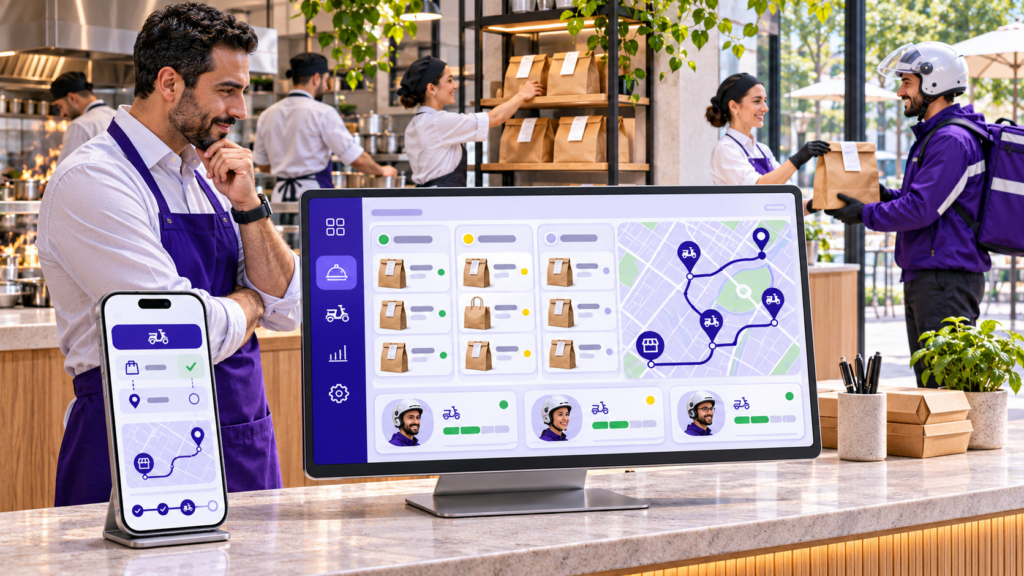
A restaurant delivery management system runs the full life of a delivery order. The customer browses the menu and pays. The order lands in the kitchen with a preparation timer. The system picks the right rider based on distance, current load and expected food-ready time. The customer watches the rider on a live map, the rider confirms the drop with a photo or OTP, and the payment, tip and rider payout are recorded against that order.
It is worth separating this from two things it is often confused with. An online ordering system handles only the first step: menu, cart and checkout. Once the order is placed, someone still has to call a rider or hand it to a courier. A food delivery marketplace such as Uber Eats or DoorDash runs the whole chain, but for many restaurants at once, under its own brand and on its own terms. A delivery management system gives a single restaurant or chain the marketplace’s operating machinery while keeping the brand, the pricing and the customer relationship in-house.
Why more restaurants are taking delivery in-house
Demand is not the issue. The Business Research Company puts the global online food delivery services market at USD 198.99 billion in 2026, up from USD 177.9 billion in 2025. The issue is who keeps the margin on that demand.
Marketplace commissions on delivery orders typically sit between 15 and 30 percent, and they have been moving up, not down. Uber Eats raised its Marketplace fees in March 2026 and now charges 20 to 30 percent per delivery order, according to ChowNow’s review of Uber Eats merchant pricing. Add sponsored placement, payment processing and promotional discounts the restaurant funds, and the effective cost of a marketplace order often lands above 30 percent. A direct order through the restaurant’s own channel costs roughly 3 percent in card processing.
Commission is not even the top complaint. In an April 2026 survey of 112 UK restaurant operators by Slerp, 57 percent named lack of control over the customer experience as their primary concern with third-party platforms. Cold food, a rider who could not find the entrance, a refund the restaurant never approved: the restaurant takes the one-star review either way.
Customers are open to ordering direct. A DoorDash-sourced survey reported by Restaurant Business found 38 percent of respondents preferred to order delivery straight from a restaurant’s website or app, slightly ahead of the 37 percent who preferred third-party apps.
None of this means marketplaces should be dropped. Running delivery yourself brings rider management, insurance, peak-hour capacity planning and customer support onto your plate. Most restaurants that do this well run a hybrid: marketplaces for discovery and new customers, their own system for repeat customers who already know the brand. The repeat orders are where the commission saving compounds.
The four apps inside every restaurant delivery system
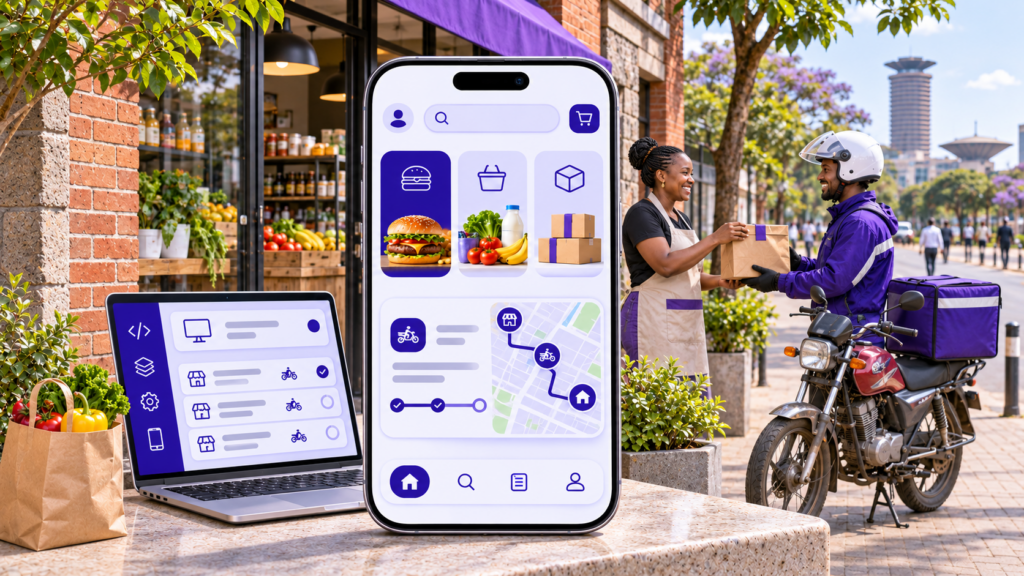
Every working delivery platform, from a single cloud kitchen to a 50-outlet chain, is built from the same four parts. The difference between platforms is how well those parts talk to each other.
Customer ordering app and website
This is the part customers see: a branded iOS app, Android app and web ordering site. It needs a fast menu with modifiers (extra cheese, no onions, spice level), saved addresses, scheduled orders, multiple payment methods including cash on delivery where the market expects it, coupon codes, live order tracking, re-order in one tap, and ratings. For SEO and first-time customers, the web ordering site matters as much as the app, because most new customers find a restaurant through Google, not the App Store.
Restaurant admin panel
The restaurant team runs the business from here. Staff accept or reject orders, set preparation times, mark items out of stock, change prices, define delivery zones and fees, run promotions and see daily sales. A chain needs this at two levels: outlet managers who see their own orders, and head office that sees every outlet, compares performance and pushes menu changes across locations at once. A kitchen display view that shows incoming orders in sequence, with timers, saves the kitchen from reading a tablet that was designed for the manager.
Driver app
The rider app is where most delivery systems are weakest, because it is designed last. Riders need clear order pickup alerts, one-tap navigation to the restaurant and then the customer, the ability to batch two orders going the same direction, proof of delivery by photo, signature or OTP, cash collection tracking, and an earnings screen they trust. If the rider app is slow or confusing, delivery times go up and good riders leave.
Dispatch engine and super admin
The dispatch engine decides which rider gets which order. A simple version assigns the nearest free rider. A better one considers when the food will actually be ready, how many orders the rider is already carrying, traffic, and whether two orders can share one trip. The super admin sits above everything: rider onboarding and documents, payouts, commission settings if you serve partner restaurants, refunds, support tickets and reports.
Features worth building at launch, and features that can wait
The most common way to blow a delivery budget is to build version three before version one has taken a single paid order. A sensible launch set covers the full order loop and nothing ornamental.
At launch you need menu and cart with modifiers, online payments plus cash on delivery if your market uses it, delivery zones with distance-based fees, automatic rider assignment, live GPS tracking for the customer, push and SMS notifications at each order stage, proof of delivery, and a sales and orders dashboard. That is enough to run real delivery and learn from real orders.
The second phase is where you add the features that grow revenue once the basics are stable. Loyalty points and wallet bring customers back without discounting every order. Order batching and route optimisation lift rider productivity once order density is high enough for batching to matter, which it usually is not in month one. Aggregator order consolidation pulls Uber Eats, DoorDash, Talabat or Swiggy orders into the same kitchen screen so staff stop juggling four tablets. Third-party courier fallback sends overflow orders to an on-demand courier API when your own riders are all busy. Demand forecasting helps you schedule riders by hour once you have a few months of data to forecast from.
AI features belong in phase two or three as well. Menu recommendations and dynamic prep-time prediction work, but only once there is order history to train on.
How to develop a restaurant delivery management system, step by step
Step 1: Decide your delivery model
Everything else depends on who carries the food. With an own fleet, you hire or contract riders, you control the experience, and you carry the cost of idle time between orders. With a third-party courier model, your system takes the order and hands the delivery to a local courier network through its API, paying per trip. With a hybrid, your riders cover peak zones and the courier API absorbs overflow and outlying addresses. The hybrid is the most common choice for chains because it keeps fixed costs down without giving up control of the busiest hours. Your choice decides whether you need a full driver app on day one or only a courier integration.
Step 2: Map the order flow before writing a feature list
Walk through one order from tap to doorstep and write down every handoff: who sees the order, who acts on it, what happens if they do not act within two minutes, what happens if an item is out of stock after payment, what happens when the rider arrives and the customer does not answer. Do the same for a cancelled order, a refund and a cash order. This document becomes the real specification. Feature lists written without it miss the exception paths, and the exception paths are where delivery operations lose money.
Step 3: Define the MVP scope and the success numbers
Pick one city or a few delivery zones, decide which features ship first (the launch list above is a good starting point), and agree on what success looks like after 90 days. A target such as 30 percent of repeat customers ordering direct, or average delivery time under 35 minutes, gives the build a finish line and gives you a basis for deciding what goes into phase two.
Step 4: Choose the technology stack
The stack should handle real-time updates, mapping and spikes at lunch and dinner. A practical, proven combination is Next.js for the web ordering site and admin panels, Node.js for the backend APIs and real-time events, React Native or Flutter for the customer and driver mobile apps from one codebase, PostgreSQL for orders, menus and payments, Redis for live rider locations and queues, WebSockets for live tracking, Google Maps Platform or Mapbox for geocoding and routes, a payment gateway suited to your market such as Stripe, Razorpay or a regional processor, and Firebase Cloud Messaging for push notifications. Cloud hosting on AWS or Google Cloud with auto-scaling covers the Friday-night spikes.
One caution on maps: route and distance API calls are billed per request, and a careless dispatch engine that recalculates every route every few seconds can run up a large monthly bill. Caching and sensible polling intervals should be part of the design, not an afterthought.
Step 5: Design for the kitchen and the rider, not only the customer
Customer screens get most of the design attention because they show up in pitch decks. The screens that decide whether delivery works are the kitchen display and the driver app. Kitchen staff read the screen from a metre away with greasy hands, so large type, clear timers and colour-coded order states matter more than visual polish. Riders use the app one-handed on a bike, often in sunlight, so the next action should always be one large button. Test both with real staff before the visual design is signed off.
Step 6: Build the integrations
A delivery system rarely lives alone. The common integrations are the restaurant’s POS, so orders and menu changes do not have to be entered twice; payment gateways with refunds and split payouts; maps and geocoding; SMS and WhatsApp for order updates; aggregator platforms, if you want marketplace orders on the same kitchen screen; and accounting tools for daily settlement. Ask for API documentation for each integration early. A POS with a poor API can add weeks to a project, and it is better to know that in week one.
Step 7: Test with real orders in one zone
Launch internally first: staff and friends placing real paid orders in one delivery zone for one to two weeks. This finds the problems no test plan does, such as addresses the geocoder places on the wrong street, riders who switch off location to save battery, and kitchen staff who accept orders but forget to mark them ready. Fix those, then open the zone to the public.
Step 8: Launch, measure and expand
Push existing customers to the new channel with a reason to switch: a first-order discount on the app, free delivery on direct orders, or loyalty points that marketplaces cannot offer. Track the numbers weekly, fix what the data shows, and only then open new zones or outlets. Expanding before the first zone runs cleanly multiplies the problems.
Custom development or white-label: which fits your business
There are two ways to get a restaurant delivery management system: build it from scratch, or license a white-label platform that is already built and rebrand it as your own.
Custom development makes sense when your delivery model is unusual, when you need deep integration with in-house systems, or when the platform itself is the product you plan to sell or raise money on. You own every line of code and every decision. You also pay for every line of code and wait for it, and the first months after launch go into fixing problems that a mature platform solved years ago.
White-label makes sense for most restaurants, chains and cloud kitchens, because the core flow of ordering, dispatch, tracking and payouts is the same everywhere. What differs is the brand, the menu, the zones and the pricing rules, and a good white-label platform lets you configure all of those. DeliveryStack is built for this case. It ships a branded customer app and web ordering site, a restaurant and multi-outlet admin panel, a driver app and a dispatch and super-admin layer, all published under the restaurant’s own name in its own app store listings. Because the platform is already proven in production, launch takes weeks rather than months, and the budget goes into the parts that make your business different, such as custom features, integrations with your POS, or a loyalty programme built around your menu.
DeliveryStack is built and supported by Aalpha Information Systems, a software development company working since 2008 that has delivered more than 5,500 projects for clients in over 55 countries and holds a 4.9 out of 5 rating from more than 215 reviews on Clutch. That matters for a white-label buyer, because the platform can be extended with custom development by the same team instead of hitting the limits of a fixed SaaS product. DeliveryStack is now live with clients in India, the UAE and Senegal.
A useful test: if you can describe your delivery operation in terms of menus, outlets, zones, riders and payouts, white-label will cover 80 to 90 percent of it, and custom work can cover the rest. If your description starts with something no delivery platform does today, you are building a new product and custom development is the honest answer.
How much it costs to build a restaurant delivery management system
Cost depends on scope, platforms and where the team is based, so treat these as typical ranges rather than quotes.
A custom MVP with a customer app on iOS and Android, a web ordering site, a restaurant admin panel, a driver app and basic automatic dispatch usually costs USD 20,000 to 45,000 with an experienced offshore team and takes three to five months. A full multi-outlet platform with advanced dispatch, batching, aggregator consolidation, loyalty, POS integration and detailed analytics typically runs USD 50,000 to 120,000 or more and six to nine months. The same scope with an onshore team in the US or Western Europe often costs two to three times as much.
A white-label platform changes the equation. Setup, branding, configuration and app store publishing are a fraction of the custom build cost, and a branded system can be live in two to six weeks. Custom features on top are priced separately and only for what you actually need.
Budget for running costs too. Cloud hosting, maps API usage, SMS and push notifications, payment gateway fees and app store accounts add a monthly bill that grows with order volume. Ongoing maintenance, including OS updates, security patches and small improvements, typically costs 15 to 20 percent of the original build cost per year for a custom platform.
The figures that drive cost up most are the number of platforms (native iOS and Android apps cost more than a shared codebase), dispatch complexity, the number and quality of third-party integrations, and multi-language or multi-currency support for chains that cross borders.
Where restaurant delivery projects usually go wrong
Building the customer app first and the operations last. The customer app is the easiest part to demo and the least likely to sink the business. Dispatch logic, rider experience and kitchen workflow decide whether orders arrive hot and on time, and they need the most testing.
Ignoring the rider. Restaurants that treat riders as an afterthought see high churn, slow deliveries and drivers who game the app. Clear earnings, fair order assignment and a fast app keep good riders.
Setting delivery zones too wide. Food quality drops quickly past a certain distance. A zone that looks like more revenue on a map often means cold food, refunds and bad reviews. Start tight and widen once delivery times are under control.
Launching without a reason to switch. Customers will not leave a marketplace app they already use unless ordering direct is cheaper, faster or more rewarding. Plan the incentive before launch day.
Underestimating running costs. Maps API bills, SMS charges and idle rider time can erase the commission saving if nobody watches them. Put these numbers on the same dashboard as sales.
Numbers to track after launch
A delivery system produces a lot of data. A handful of numbers tell you whether it is working. Average delivery time, from order placed to order delivered, is the number customers feel most. Food-ready to pickup time shows whether the kitchen or the dispatch is causing delays. Cost per delivery, including rider pay, fuel or allowance and software costs, tells you whether in-house delivery is actually cheaper than marketplace commission for your order sizes. Rider utilisation, the share of a shift spent carrying orders, shows whether you have too many or too few riders by hour. Direct order share, the percentage of delivery orders coming through your own channel rather than marketplaces, measures the shift you built the system for. Repeat order rate and order accuracy round out the picture.
Review these weekly for the first three months. Most of the gains in the first year come from small changes these numbers point to, such as moving prep-time estimates, adjusting zone borders or adding riders for a single busy hour.
Frequently asked questions
What is a restaurant delivery management system?
It is software that manages the full delivery process for a restaurant: online ordering, kitchen order handling, rider assignment, live tracking, proof of delivery, payments and reporting. It typically includes a customer app and website, a restaurant admin panel, a driver app and a central dispatch and admin system.
How long does it take to develop a restaurant delivery app?
A custom MVP usually takes three to five months, and a full multi-outlet platform six to nine months. A white-label platform can be branded, configured and published in two to six weeks, with custom features added afterwards.
How much does it cost to build a restaurant delivery management system?
A custom MVP typically costs USD 20,000 to 45,000 with an experienced offshore team, while a full-featured multi-outlet platform can cost USD 50,000 to 120,000 or more. White-label platforms cost significantly less upfront because the core product is already built.
Do I need my own delivery riders?
No. You can run your own fleet, hand deliveries to a local courier service through an API, or combine both. Many chains use their own riders for peak hours and core zones and send overflow orders to a courier partner.
Can my delivery system receive orders from Uber Eats, DoorDash or Swiggy?
Yes, through aggregator integrations that pull marketplace orders into the same kitchen screen and reports. This is usually a phase-two feature and depends on the integration options each marketplace offers in your country.
Is white-label delivery software right for a single restaurant?
Often, yes. A single restaurant rarely has the budget or need for a fully custom platform. White-label gives it a branded app, web ordering and driver app at a fraction of the cost, and it can grow with the business as outlets are added.
Which is better for restaurants, a delivery marketplace or their own system?
Most restaurants do best with both. Marketplaces bring new customers, while an own delivery system keeps repeat customers, avoids commission on those orders and gives the restaurant control over the customer experience and data.
Getting started
If you are weighing whether to build or license, start with the order flow from Step 2 and an honest count of how many of your orders come from repeat customers. Those two things tell you what the system has to do and how quickly it will pay for itself.
To see how a branded delivery platform would look for your restaurant or chain, explore DeliveryStack or book a call to walk through your delivery model, outlets and timeline.